
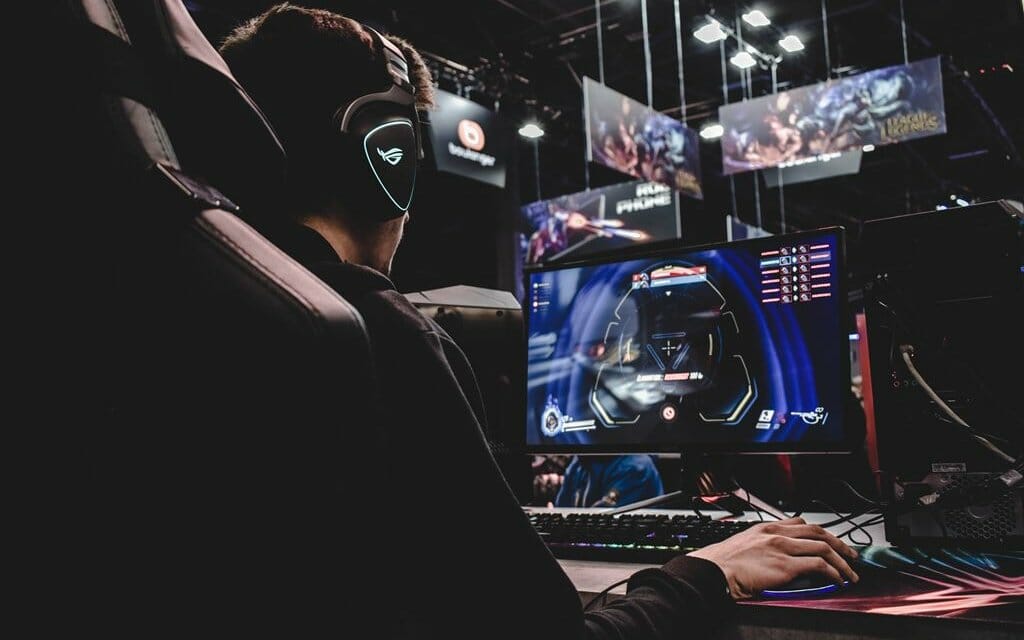
The global interactive entertainment landscape has evolved from a casual hobby into a deeply immersive cultural medium. Modern video games feature expansive digital worlds, complex physics engines, and cinematic audio design. However, the software itself represents only half of the entertainment equation. The quality of a gaming session depends heavily on the physical environment, hardware configurations, network stability, and cognitive readiness of the player.
Many enthusiasts invest significant financial resources into premium titles or cutting-edge hardware, yet they fail to optimize their overall setup. This negligence can lead to avoidable issues such as system latency, physical fatigue, and diluted visual quality. To unlock the full potential of modern interactive media, players must adopt a comprehensive approach to optimizing their gaming lifestyle. This article analyzes the technical calibrations, environmental adjustments, ergonomic practices, and system optimizations required to elevate your gaming experience to its highest potential.
Hardware Optimization and Display Calibration
A seamless gaming experience relies heavily on eliminating technical performance drops, such as frame rate stutters and visual screen tearing. While upgrading internal computer components or moving to the latest console generation provides a natural performance boost, major improvements can be achieved by calibrating your existing display hardware.
The primary target for any display optimization is the refresh rate, which is the number of times per second the screen updates its image. Many PC users connect high-performance monitors to their systems but forget to adjust their operating system configurations, leaving their displays locked at a baseline sixty hertz. Ensuring that your system is explicitly configured to output at its maximum capacity, whether that is one hundred forty-four hertz or higher, results in immediate, fluid motion rendering.
-
Variable Refresh Rate Synchronization: Activating technologies like G-Sync or FreeSync enables your monitor to dynamically synchronize its refresh rate with the real-time frame output of your graphics hardware. This completely removes visual screen tearing without introducing the noticeable input lag caused by older software synchronization options like V-Sync.
-
Display Mode Adjustments: Most modern television displays feature a dedicated game mode. Turning this setting on completely bypasses heavy internal post-processing chips, significantly cutting down on input latency, which is the time delay between pressing a controller button and seeing the corresponding action occur on the screen.
-
High Dynamic Range Configuration: When using a display capable of high dynamic range, proper calibration within the game or operating system menu is essential. Adjusting the black point and white point clipping levels ensures deep shadows and bright skies retain full visual detail rather than appearing muddy or overexposed.
Network Engineering for Competitive Stability
For enthusiasts who enjoy online multiplayer games, network stability is far more important than raw download speeds. A high-speed connection can still provide a poor competitive experience if it suffers from packet loss or high latency, commonly referred to as ping.
The most effective action a player can take to secure a stable online connection is to eliminate wireless networking links entirely. While modern wireless routers have improved, they remain highly vulnerable to ambient radio frequency interference, physical structural barriers, and local network congestion. Running a physical Ethernet cable directly from your router to your gaming console or computer provides a dedicated path for data transmission. This minimizes sudden latency spikes and guarantees data packets arrive in chronological order, protecting you from teleporting anomalies during competitive matches.
Furthermore, players should look into their router configuration panels to activate Quality of Service protocols. This configuration allows you to prioritize all data traffic originating from your gaming hardware over standard household activities like high-definition video streaming or large file downloads, maintaining low latency even during periods of heavy household internet usage.
Ergonomics and Physical Well-Being
Interactive media is designed to hold attention for extended periods, making ergonomic health an essential factor for long-term enjoyment. Overlooking physical comfort can cause muscle strain, repetitive strain injuries, and cognitive exhaustion, directly lowering your in-game performance.
Optimizing your seating arrangement requires aligning your body to maintain a neutral spinal posture. Your feet must rest flat on the floor, with your knees bent at a clean ninety-degree angle. The lower back requires dedicated lumbar support to prevent slouching, which strains the upper back and neck muscles over time. Armrests should be adjusted so that your shoulders remain relaxed while your elbows sit at roughly ninety degrees, allowing your wrists to rest comfortably on the desk surface without bending sharply upward or downward.
Equally important is the positioning of the primary display. The top third of your monitor should align perfectly with your horizontal eye level. This arrangement forces a slight downward gaze, which reduces neck muscle engagement and lowers the rate of tear film evaporation, minimizing the severity of digital eye strain during long gaming sessions.
Audio Environment Engineering
Visuals capture initial interest, but audio creates true spatial immersion. Modern game sound designers build complex audio landscapes that provide critical competitive advantages, allowing players to pinpoint the exact location of approaching adversaries based entirely on audio cues.
To capitalize on this spatial design, players should move away from standard television speakers in favor of a dedicated audio system or open-back gaming headphones. Open-back designs allow sound waves to escape through the earcups, building a significantly wider, more realistic soundstage that mimics real-world acoustics. If competitive multi-player communication is a priority, investing in a microphone with integrated noise-rejection software ensures your voice transfers clearly without amplifying mechanical keyboard clicks or ambient household background noise.
System Maintenance and Software Optimization
A cluttered operating system can bottleneck the performance of high-end hardware components. Over time, background processes and data fragmentation can consume processor cycles and system memory, resulting in unexpected frame rate drops.
Regular digital maintenance should include disabling non-essential applications that launch automatically when booting your system. Many software platforms remain active in the system tray, consuming background resources that should be dedicated to rendering your game. Additionally, maintaining a clean storage environment is vital. Modern games require rapid asset streaming, meaning they should always be installed on solid-state drives rather than older mechanical hard drives. To protect these storage units, players should preserve at least fifteen percent of their drive capacity as free space, allowing the drive controller to efficiently manage file allocation and maintain maximum read and write speeds.
Frequently Asked Questions
What is the ideal distance to sit from a gaming display to maximize visual clarity?
The ideal seating distance depends entirely on the physical size and screen resolution of your monitor. For a standard twenty-seven-inch display running at fourteen hundred forty pixels, sitting roughly two to three feet away is ideal. For larger screens or 4K televisions, the distance should expand to fill roughly forty degrees of your horizontal field of view, which maximizes visual immersion while preventing your neck from needing to swing side to side to track screen events.
How does room lighting affect eye strain during extended gaming sessions?
Playing video games in a completely dark room forces your pupils to dilate and contract rapidly as the screen brightness shifts, resulting in rapid eye fatigue. To prevent this, implement bias lighting, which involves placing a soft, neutral white light source directly behind your monitor. This raises the ambient light level of the room without casting direct glare or reflections onto the display screen surface.
Why does a game feel sluggish even when the frame rate counter displays sixty frames per second?
This sluggish sensation is often caused by poor frame pacing. A frame rate counter displays an average over a full second, but if those individual sixty frames are not distributed evenly across that second, you will experience a stuttering sensation. This can be resolved by limiting your frame rate to match your display refresh rate or enabling variable refresh rate technologies to force total system synchronization.
What are the structural benefits of using open-back headphones over closed-back alternatives?
Closed-back headphones isolate sound by sealing the audio inside the earcup, which boosts bass response but can make audio sound unnatural or compressed. Open-back headphones feature ventilated earcups that allow sound and air to pass through freely. This design builds a natural acoustic soundstage, making it easier to perceive distance and directional orientation within a game digital environment.
How often should a gaming computer or console be physically cleaned?
Dust accumulation acts as an insulator, trapping heat inside your hardware components and forcing cooling fans to spin faster, which can trigger thermal throttling to protect the system from damage. To maintain peak cooling efficiency, use compressed air to clear out dust accumulation from internal heatsinks and intake vents every six months, expanding the frequency if your system sits in a carpeted room or an environment with pets.
Does upgrading to an expensive category seven or category eight Ethernet cable reduce in-game ping?
For standard residential gaming environments, upgrading to expensive high-category network cables will not yield any measurable reduction in ping compared to a standard category six cable. Category six cables are fully capable of handling data transmission speeds up to ten gigabits over short distances, which exceeds the requirements of online multiplayer games. The latency savings come from using a physical cable rather than a wireless connection, not from buying premium cable variants.
What is mouse acceleration and why do competitive players recommend turning it off?
Mouse acceleration is an operating system setting that changes your cursor speed based on how quickly you move your physical mouse, rather than the actual distance the mouse travels. This variable input disrupts the development of muscle memory. Disabling mouse acceleration ensures a consistent input-to-movement ratio, allowing players to build reliable precision aiming habits over time.